Creating professional-looking videos can take a lot of time, especially if you have to write a script, find visuals, record a voiceover, and edit everything manually. AI video tools are making this process much easier by helping users create videos with simple text instructions.
Google Vids is an AI-powered video creation and editing tool from Google that can help users turn ideas, documents, and written content into engaging video presentations. It combines AI-assisted content creation with familiar editing features, making it useful for work, education, presentations, and other video projects.
In this post, we will explain what Google Vids is, how it works, how to create an AI video, and how you can create a high-quality 1080p video in five easy steps.
What Is Google Vids?
Google Vids is a video creation tool designed to help users create and edit videos using AI and familiar productivity features. It can assist with planning a video, generating content, creating scenes, and adding different elements to a project.
Instead of starting with a completely blank timeline, users can use AI-assisted features to quickly build a video based on an idea or existing content.
Google Vids can be useful for creating presentations, training videos, tutorials, product videos, internal company videos, educational content, and other projects.
What Can You Do With Google Vids?
Google Vids combines AI assistance with video editing features to simplify the video creation process.
Depending on the available features and account, you may be able to:
- Generate video ideas and storyboards
- Create scenes from written instructions
- Add text and visual elements
- Use AI-generated content
- Add voiceovers or narration
- Edit individual scenes
- Organize content into a video presentation
- Share videos with other people
- Create professional-looking videos without advanced editing skills
How to Create a Free AI Video With Google Vids
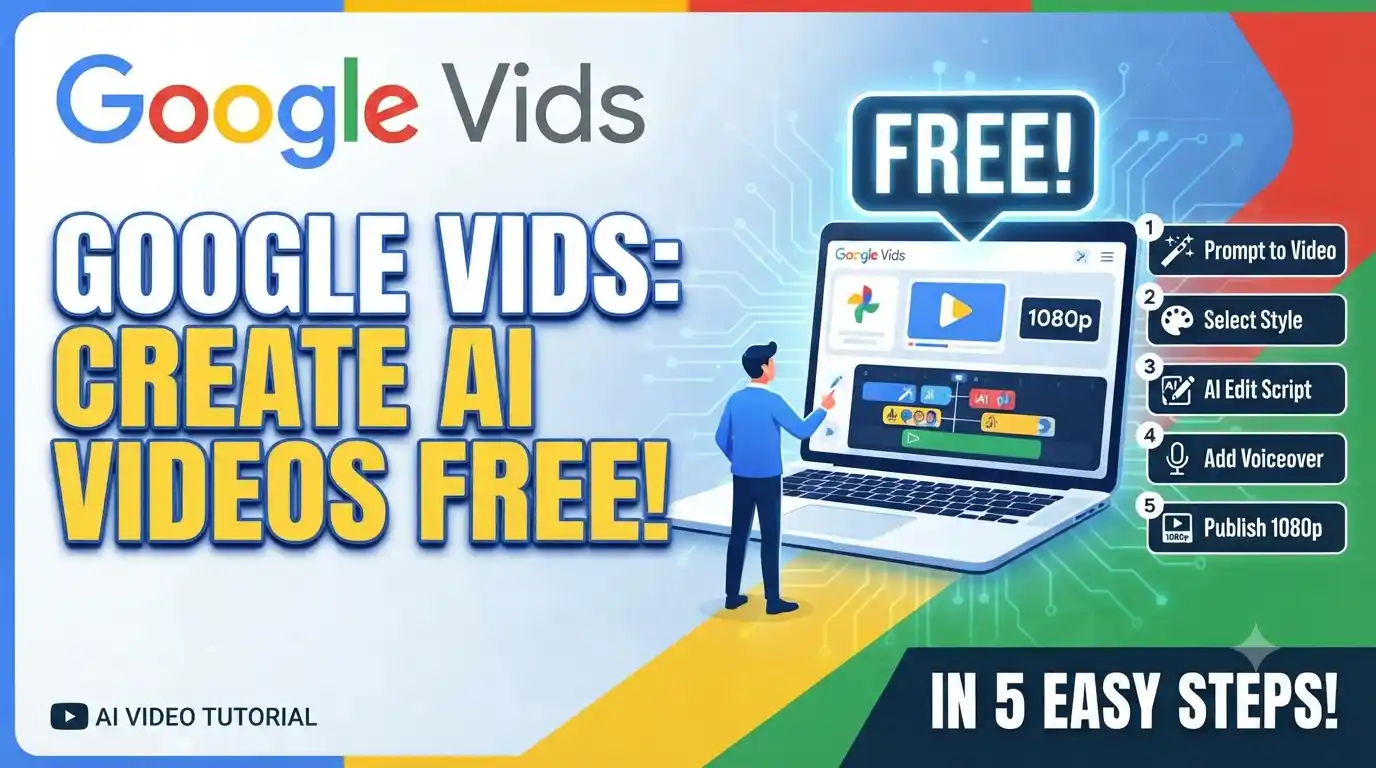
Creating an AI-assisted video can be simple if you already have an idea or script. Follow these five steps to get started.
Step 1: Open Google Vids and sign in with your Google account.
Step 2: Start a new video project and choose an AI-assisted creation option when available.
Step 3: Enter a detailed prompt describing the video you want to create, including the topic, audience, style, and key points.
Step 4: Review the generated scenes and customize the text, visuals, narration, timing, and other elements.
Step 5: Export, download, or share the completed video using the options available in your Google Vids account.
How to Write a Good Google Vids Prompt
The quality of an AI-generated video depends heavily on the instructions you provide. Instead of entering a very short prompt, describe what you want the video to contain.
For example, you could write:
“Create a short educational video explaining how solar panels work. Use five scenes, simple language, clear headings, modern visuals, and a professional presentation style.”
A detailed prompt gives the AI more information about the subject, structure, tone, and intended audience.
Can Google Vids Create 1080p Videos?
Video resolution and export options can depend on the current Google Vids features, account type, and export method available to you.
If 1080p export is available in your account, choose the appropriate high-definition export setting when downloading the finished video. If a specific resolution option is not shown, avoid relying on third-party websites claiming that they can unlock a hidden 1080p export feature.
The available export options can change as Google updates the service.
How to Make Better AI Videos in Google Vids
AI can help create the basic video, but reviewing and editing the generated content is still important.
Keep these tips in mind:
- Start with a clear video objective.
- Use a detailed prompt.
- Keep each scene focused on one idea.
- Check AI-generated text for mistakes.
- Make sure the visuals match the narration.
- Keep the text easy to read.
- Use consistent formatting throughout the video.
- Remove unnecessary scenes.
- Review the final video before sharing it.
Who Can Use Google Vids?
Google Vids is primarily designed around Google’s productivity and collaboration ecosystem. Availability of features can depend on the Google account, organization, subscription, region, and current product rollout.
Some AI features may also have separate availability or usage limitations.
If you do not see a particular AI video feature in your account, it may not currently be available for your account or region.
Is Google Vids Free?
Google Vids availability and AI features can depend on the Google account and Google Workspace plan being used.
Some users may have access to certain features without paying separately, while advanced features can be subject to account or plan limitations. Therefore, users should check the current features available in their own Google account rather than assuming that every Google Vids feature is completely free.
Benefits of Using Google Vids
Google Vids can be useful for people who want to create videos without spending hours learning complicated editing software.
Some key benefits include:
- AI-assisted video creation
- Easy-to-use editing workflow
- Faster video production
- Useful for presentations and tutorials
- Suitable for beginners
- Integration with Google’s productivity ecosystem
- Easy collaboration for supported accounts
Google Vids vs Traditional Video Editing
Traditional video editing usually requires users to gather footage, write a script, record audio, select music, create graphics, arrange clips, and edit the final timeline manually.
Google Vids can reduce some of this work by using AI to help with planning and content creation. However, it does not completely eliminate the need for human editing. Reviewing the generated content is important to ensure that the final video is accurate, useful, and visually consistent.
Frequently Asked Questions
What is Google Vids?
Google Vids is Google’s video creation and editing tool that uses AI-assisted features to help users create videos from ideas and existing content.
Can I create AI videos with Google Vids?
Yes, Google Vids includes AI-assisted features designed to help users create video content, although available features can depend on the account and current product availability.
Can Google Vids create 1080p videos?
1080p export availability depends on the current Google Vids export options and the account or plan being used. Check the resolution options available when exporting your project.
Is Google Vids free?
Google Vids availability and features vary by account and Google Workspace plan. Not every feature should be assumed to be available for free accounts.
Do I need video editing experience?
No. Google Vids is designed to make video creation easier, including for users who do not have advanced video editing experience.
Can I edit an AI-generated video?
Yes. You can review and customize the generated content and make changes to scenes, text, visuals, narration, and other available elements.
Final Words
Google Vids makes AI-assisted video creation more accessible by combining video editing with Google’s productivity tools. Instead of building a video completely from scratch, users can start with an idea or written content and use AI to help develop the project.
If you want to create an AI video, start with a clear prompt, review the generated scenes carefully, make the necessary edits, and check the available export settings before downloading the final video. Since Google regularly updates its AI and video features, the exact tools, limits, and export options may change over time.